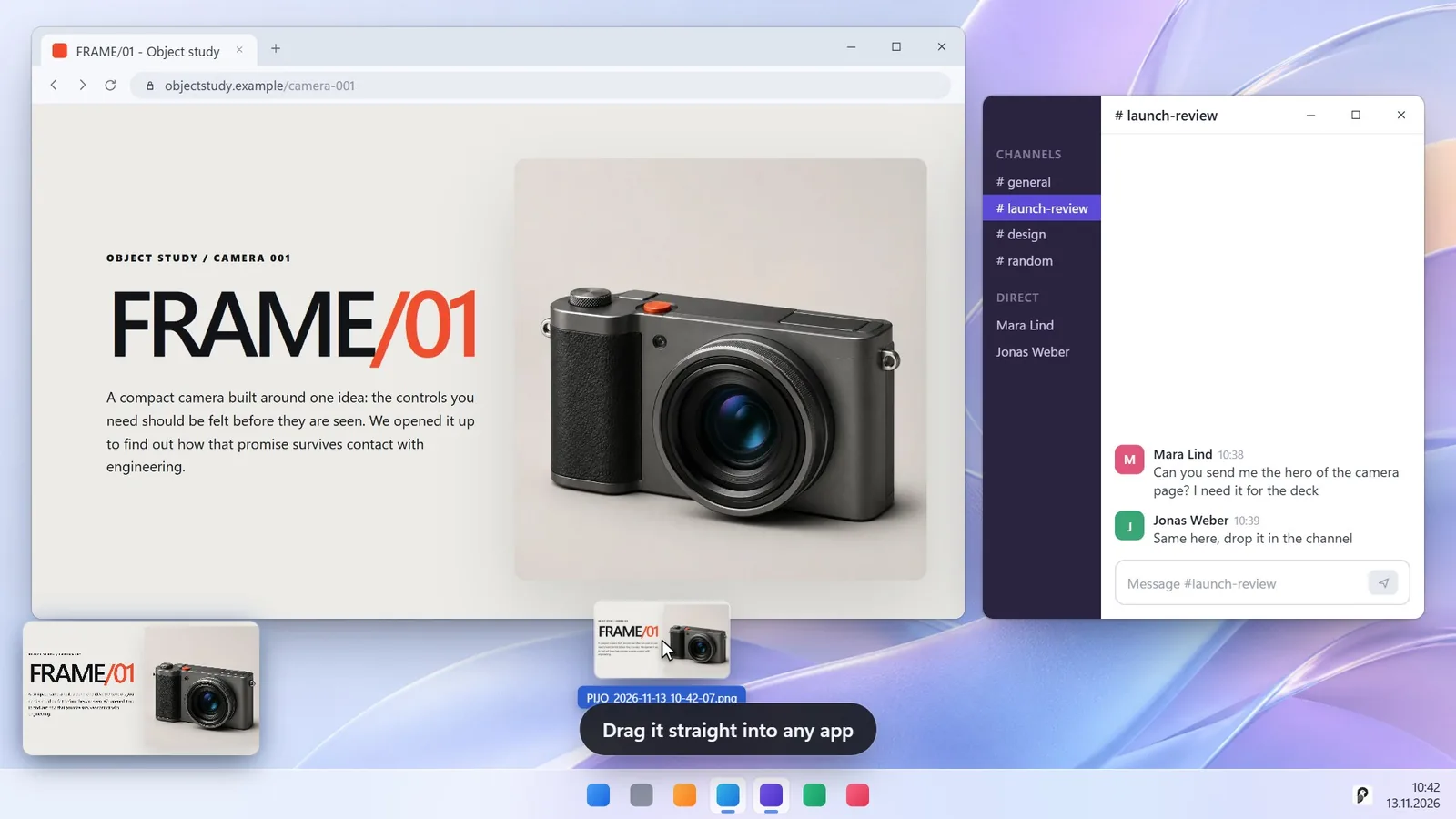
I launched PIJO, a screenshot app for Windows 10 and 11.
Taking a screenshot is usually the easy part. The extra steps come after it: finding the file, making the point clear, and getting it into a chat, ticket or document. PIJO is built around that handoff.
Capture what you need
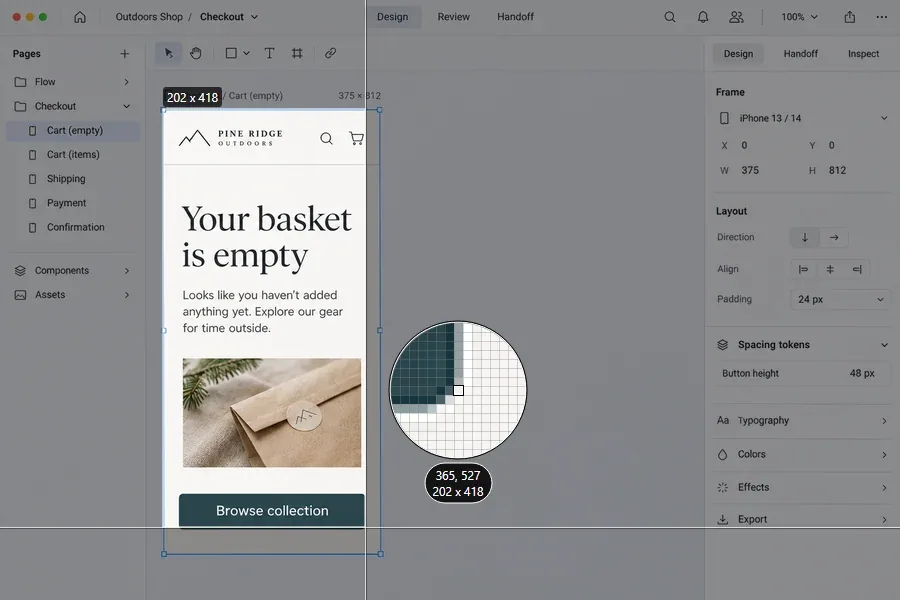
You can grab a region, a window or all your displays in one image. For a long webpage, spreadsheet or chat, scrolling capture moves through the content and stitches the frames into one tall screenshot. A five-second timer gives you time to open a menu or reveal a hover state. When the crop has to be exact, a pixel loupe and crosshair guides help place its corners.
Keep the screenshot within reach
Every capture is copied to the clipboard, saved as a PNG and left in a small floating card at the edge of the screen. Paste it immediately, or drag the file from the card into a chat, ticket, browser upload or folder. There is no search for the saved file and no separate export step.
The card can also stay on top as a reference. Pin it beside the window you are working in, then close it when the job is done.
Show the point, hide the rest
The editor lets you draw arrows and lines, add numbered steps with movable captions, frame an area with a box, highlight a value or dim everything around the important detail with a spotlight. A screenshot can explain the next click without a paragraph of instructions beside it.
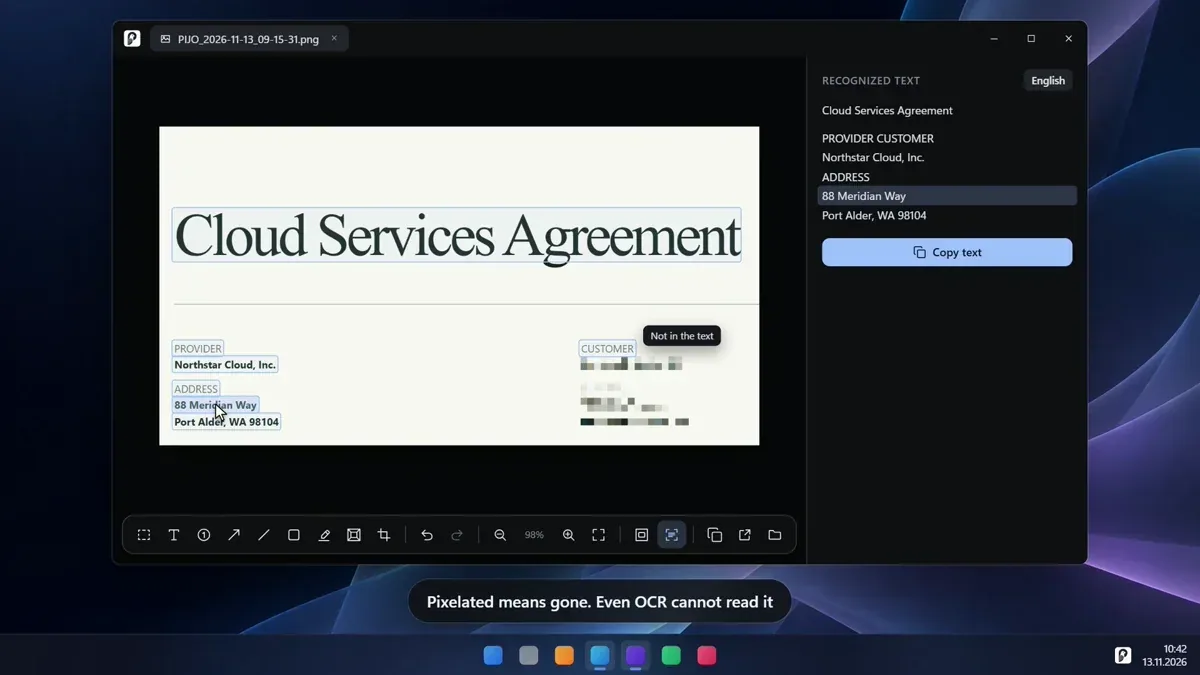
Before sharing, cover private information with a solid fill or pixelation. PIJO can also recognize text from the edited image on your PC, offline. That means you can mark up or cover a capture first, then copy the text you still need.
Give it a finish
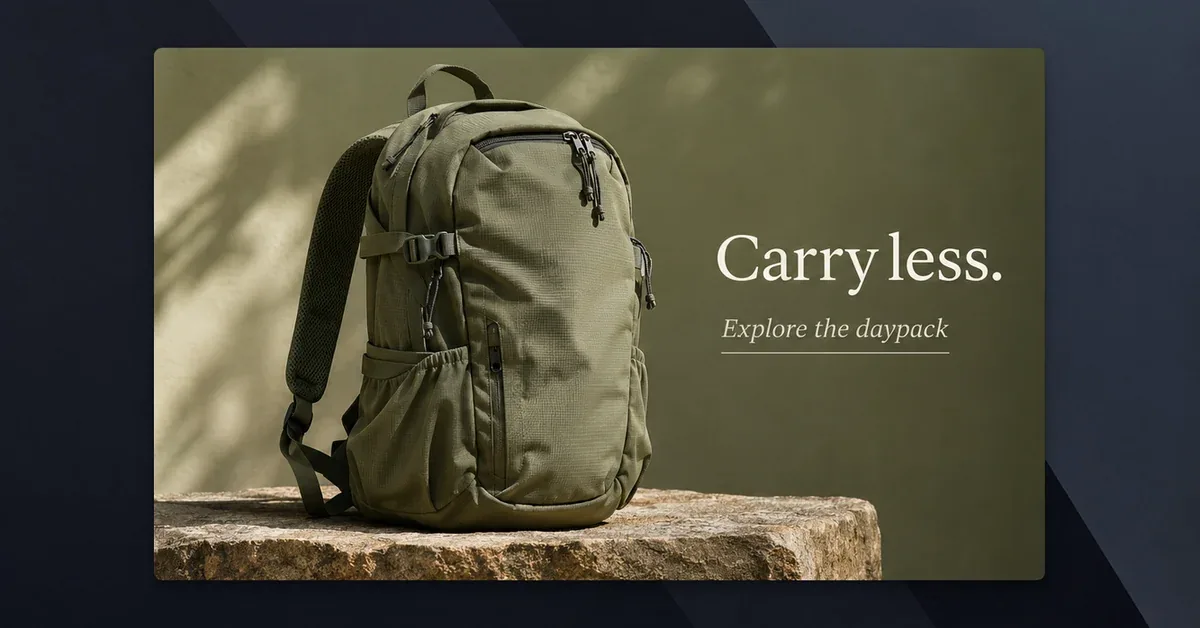
For a post or presentation, add a backdrop with padding, rounded corners and a soft shadow. You can put a second image on the canvas, crop or extend the space around it, and work through several captures in editor tabs with undo.
The part I care about most is that these tools sit in one continuous flow. The screenshot is ready to use as soon as I take it, and I can add only as much explanation as the moment needs.
Try PIJO free for 14 days on Windows 10 or 11. After that, it is $19 once, with no subscription or account required.